
How to Create AWS Architecture Diagrams
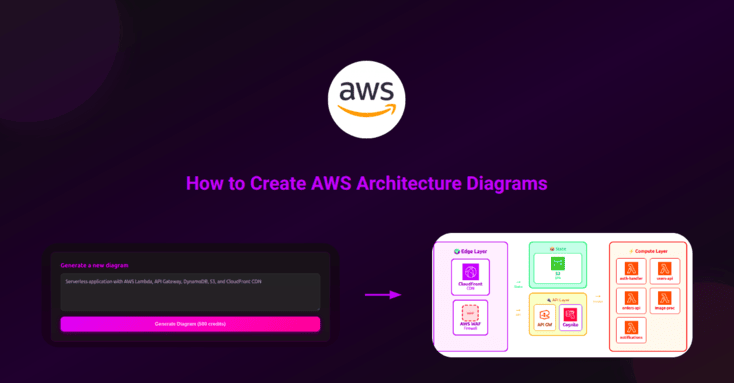
A comprehensive guide to creating professional AWS architecture diagrams that effectively communicate your infrastructure design.
Why AWS Architecture Diagrams Matter
Architecture diagrams are essential for communicating complex infrastructure designs. They help teams understand system components, data flows, and dependencies at a glance. A well-crafted diagram can save hours of explanation and prevent costly misunderstandings.
Key Components of AWS Diagrams
Every effective AWS architecture diagram includes these essential elements:
- Compute resources — EC2 instances, Lambda functions, ECS containers
- Storage — S3 buckets, EBS volumes, EFS file systems
- Databases — RDS instances, DynamoDB tables, ElastiCache clusters
- Networking — VPCs, subnets, security groups, load balancers
- Integration services — API Gateway, SQS, SNS, EventBridge
Step 1: Define Your Scope
Before creating a diagram, determine what you want to communicate:
- High-level overview — for executives and stakeholders
- Detailed technical view — for developers and DevOps teams
- Security-focused — for compliance and security reviews
- Cost-focused — for budget discussions and optimization
Step 2: Use Official AWS Icons
AWS provides official icon sets for creating consistent, professional diagrams. Using official icons ensures:
- Immediate recognition by team members familiar with AWS
- Consistent visual language across all documentation
- Professional appearance for client presentations
Pro tip: Infragram automatically uses the latest AWS official icons, so you don’t need to download or maintain icon libraries manually.
Step 3: Organize by Layers
Structure your diagram in logical layers to improve readability:
- Edge layer — CloudFront, WAF, Route 53
- Presentation layer — load balancers, API Gateway
- Application layer — EC2, Lambda, ECS
- Data layer — RDS, DynamoDB, S3
- Monitoring layer — CloudWatch, X-Ray
Step 4: Show Data Flows
Use arrows and labels to indicate how data moves through your system:
- Use solid lines for synchronous requests
- Use dashed lines for asynchronous messaging
- Label arrows with protocols (HTTPS, WebSocket, etc.)
- Indicate data direction with arrowheads
Step 5: Include Security Boundaries
Clearly show security zones and boundaries:
- VPC boundaries with CIDR ranges
- Public vs. private subnets
- Security groups and their rules
- IAM roles and permissions (for detailed diagrams)
Common Mistakes to Avoid
- Too much detail — keep diagrams focused on their purpose
- Missing legends — always explain custom symbols or colors
- Outdated diagrams — update diagrams when infrastructure changes
- Inconsistent styling — use the same icon set throughout
Creating Diagrams with Infragram
With Infragram, you can generate AWS architecture diagrams instantly by describing your infrastructure in plain English:
A serverless API with API Gateway, Lambda functions for user
authentication and data processing, DynamoDB for storage,
and CloudWatch for monitoring. Include WAF for security
and CloudFront for caching.
Infragram will generate a professional diagram with proper AWS icons, layered organization, and clear data flows.